

Description
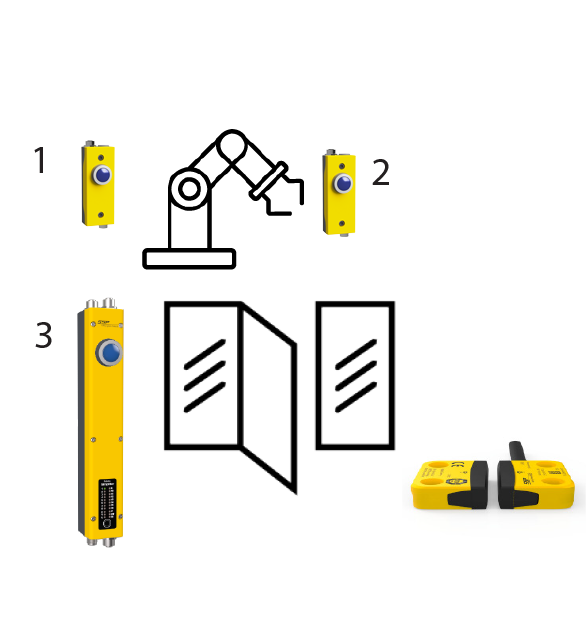
Used when visibility is limited and the operator needs to check several positions before starting. Reset takes place in a defined sequence within a set time, so that the entire area has to be checked.
Sequence:
- Press Daisy Reset 1
- Press Daisy Reset 2 (within the specified time)
- Close the door (confirmed by the safety sensor)
- Press Simplifier Reset 3 (within the specified time)
Used when visibility is limited and the operator needs to check several positions before starting. Reset takes place in a defined sequence within a set time, so that the entire area has to be checked.
Sequence:
- Press Daisy Reset 1
- Press Daisy Reset 2 (within the specified time)
- Close the door (confirmed by the safety sensor)
- Press Simplifier Reset 3 (within the specified time)

